35bet App for Android phones
The 35bet app carries the whole lobby: slots, live tables, crash rounds and cricket markets. Download the APK here, install it in a few minutes, then sign in with the username and password you already use on the site.
- SSL encrypted
- 32 MB file
- 24/7 Live Chat
- bKash & Nagad
Check the file before you tap Install
Android asks one extra question when an app arrives from outside the Play Store. Four checks take a minute and they are the difference between our build and a repacked copy.
-
Download only from 35bet.guru
Every link on this page points to /download/35bet.apk on our own domain. Files passed around Telegram groups and Facebook pages can be repacked with extra code. Look at the address bar before you tap, and delete any APK that a stranger sends you.
-
What the app actually asks for
Storage, network access and notifications. Alerts carry withdrawal confirmations and bonus reminders, and you can switch them off in Android settings whenever you like. The app never reads your contacts, SMS or call logs, and it never asks for a bKash PIN.
-
Match the version number
Open Profile, then About, inside the app. It should read version 3.9.11 today. That number changes with each update, so compare it with the table further down this page rather than a screenshot you saved months ago.
-
The Play Protect warning is expected
Google shows a warning for every app that is not distributed through Play Store. Tap More details, then Install anyway. If the warning repeats after a fresh download, run a scan with Play Protect and compare the file size with the 32 MB listed here.
Download the 35bet APK file
One file and nothing else to install. The table under the button is what your phone should show once the build is on it, so keep this page open while you set up.
- Lobby, cashier and bet slip on one screen, so you stop switching between browser tabs.
- A PIN or fingerprint keeps you signed in after the first login, even across a restart.
- Push alerts for withdrawal confirmations and bonus credits, which a mobile browser cannot send.
- Updates install straight over the old copy; your login, balance and bet history stay as they are.
Scan the code with your phone camera to open the same file without typing the address. It points to this page, not to a third-party mirror.
| Detail | Value |
|---|---|
| File name | 35bet.apk |
| Version | 3.9.11 |
| File size | 32 MB |
| Minimum Android | 7.0 |
| Last updated | 10 November 2026 |
| Price | Free, no subscription |
| Languages | English and Bangla |
| Support | 24/7 Live Chat |
Compare the app with the mobile browser
Both run the same account, so the choice is about how you play, not what you can reach. Here is where the two builds actually differ.
| What changes | 35bet app | Mobile browser |
|---|---|---|
| Signing in | PIN or fingerprint after the first login | Username and password each session |
| Data use | Lobby and thumbnails cached on the phone | Page reloads on every visit |
| Deposits | Wallet sheet opens inside the app | Switch to the wallet app and back |
| Live cricket | Ball-by-ball view beside the bet slip | Same markets on a heavier page |
| Alerts | Withdrawal and bonus notifications | None |
| Storage | 32 MB on the handset | Nothing installed |
| Updates | New APK when the version changes | Always the current build |
| Best for | Daily play on your own phone | Borrowed devices and quick checks |
One account, one wallet, one bonus balance. Deposit ৳250 inside the app and the money is there when you open the site on a laptop. Nothing syncs late, and no bet placed in one place goes missing in the other.
Pick the app if you play most days and want withdrawal confirmations arriving on the phone. Keep the browser for a quick look on someone else’s device, or when the handset is short on storage. If you only read markets and never deposit, the mobile site is enough.
Run your whole account from the app
Deposits, withdrawals, markets and the game library all sit behind one login. These are the jobs the app handles without sending you back to the browser.
Mobile wallet cashier
Tap Deposit, pick bKash, Nagad, Rocket or Upay, enter the amount and confirm inside the wallet app. The minimum is ৳250 and the balance usually lands within a minute. Your last amount stays saved, so a reload takes two taps.
Withdrawals with documents attached
Request a payout from ৳1,300, attach a photo of your NID, passport or driving licence, and the desk reviews it in about 2 hours. Most withdrawals reach the wallet in 19 minutes, and a first payout can take up to 6 hours.
Cricket and football in one slip
Pre-match and in-play prices for BPL, international cricket and club football sit beside the bet slip. Build a combination, check the odds twice, then place it without leaving the match screen. Open and settled bets share one list.
4,400 games from seven studios
Playtech, PG Soft, CQ9, JDB, Habanero, KA Gaming and Spribe, sorted into slots, fishing, crash, lottery and live tables. Every game page shows the RTP and the table limits before you spin a single round.
Bonus progress you can read
The 150% first deposit bonus, the 21% reload and the 0.7% daily cashback share one screen with the wagering left on each. The 24x requirement counts down as you play, so nothing stays buried in a terms page.
Lock, history and device control
Set a PIN or fingerprint, then review every bet and transaction in the history tab. If the handset goes missing, change the password on the website and the app on that phone stops working at the next sign-in.
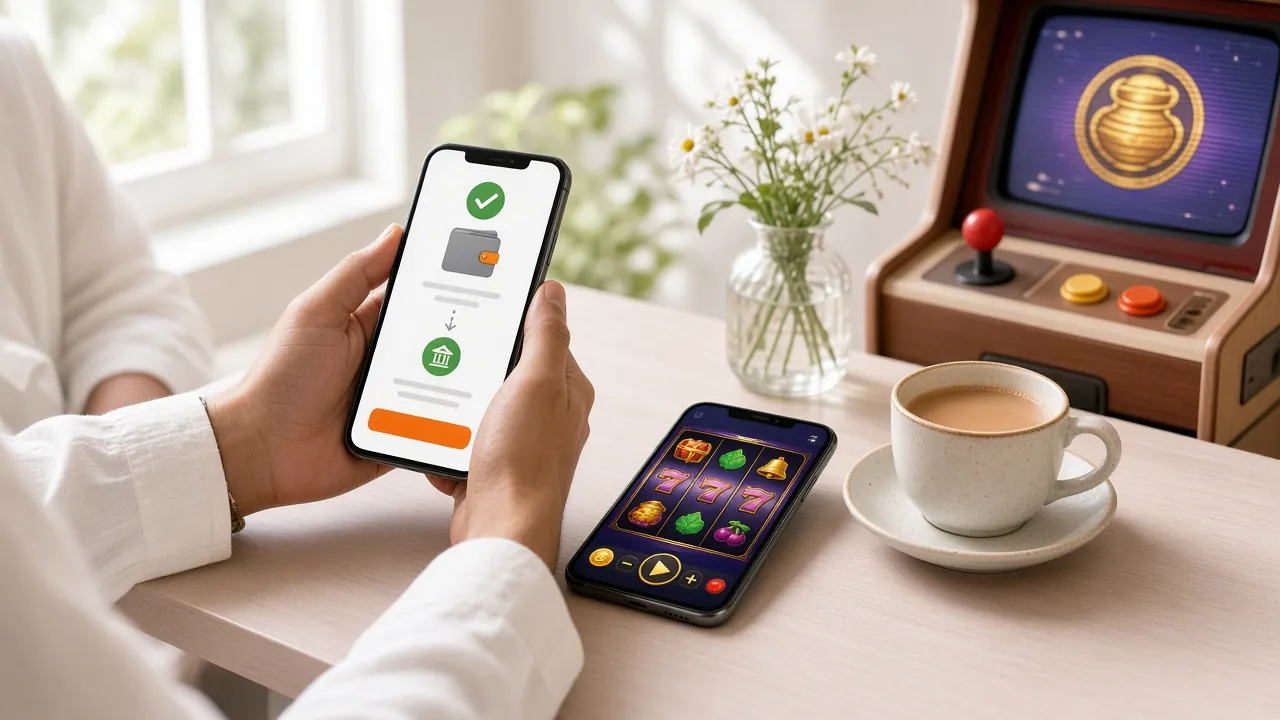
The app is a pocket version of the 35bet casino, not a stripped one. Live dealer tables, crash rounds, fishing rooms and the full slot library load inside the same session as your sports slip, and the balance moves in both without a refresh.
- Slots and megaways from PG Soft, CQ9, JDB and Habanero, with free-spin rounds that survive a dropped connection.
- Live tables dealt in real time: baccarat, roulette, blackjack and game-show rooms with limits from ৳10.
- Crash and instant-win rounds that settle in seconds, plus lottery titles such as Super Bingo and Go Goal Bingo.
- Fishing rooms from Playtech where a bigger cannon costs more per shot but splits larger catches.
- Cricket, football and kabaddi markets with cash-out on selected fixtures.


Install the 35bet APK on Android
Five steps from this page to a signed-in lobby. Android 7.0 or newer, roughly 60 MB of free space during setup, and about three minutes of your time.
-
1
Allow installs from your browser
Open Settings, then Apps, then Special access, then Install unknown apps. Choose the browser you will download with and switch Allow from this source on. Android revokes this permission by itself once the install finishes.
-
2
Download the 32 MB file
Tap Download APK on this page and let the file save to your Downloads folder. On mobile data it usually takes under a minute. Keep the screen awake until the notification confirms the transfer is complete.
-
3
Open 35bet.apk
Pull down the notification shade and tap the finished file, or open Files then Downloads. If nothing responds, the download stopped halfway: delete the partial file and start the download again from the top.
-
4
Confirm the Play Protect prompt
Tap Install. Google may show a scan warning because the build does not come from Play Store. Choose More details, then Install anyway. The progress bar takes about ten seconds on most handsets, then Done appears.
-
5
Sign in and set a PIN
Open 35bet and enter the username and password from your account. No account yet? Register first, then log in. Turn on fingerprint or PIN in Profile so later sessions skip the typing.
On iPhone or iPad: add 35bet to the home screen
There is no iOS APK, because Apple only installs apps from the App Store. Instead, keep the site on your home screen: it opens full screen, keeps you signed in, and sits beside your other apps without a 32 MB download.
- Open 35bet.guru in Safari. This has to be Safari, not Chrome or a Facebook browser.
- Tap the Share button in the toolbar, the square with an arrow pointing up.
- Scroll the sheet and choose Add to Home Screen, then tap Add in the top corner.
- Open the new 35bet icon, sign in once, and allow notifications if you want withdrawal alerts.
When the install goes wrong
Nearly every failed install traces back to a partial download, a leftover copy or a permission that switched itself off. Work down this table before you contact support.
| What you see | Why it happens | What to do |
|---|---|---|
| "App not installed" | An older 35bet copy is still on the phone, or the APK saved incomplete. | Uninstall the existing app, delete the file in Downloads, then download 32 MB again and install. |
| "Can't open file" | Install-from-unknown-apps is off for the browser, or a file manager is blocking it. | Re-enable the permission in Settings, then open the APK through Files instead of a chat app. |
| Play Protect blocks the install | Google flags sideloaded builds by default, including clean ones. | Tap More details, then Install anyway. If it repeats, run a Play Protect scan and compare the size with 32 MB. |
| White screen or a stuck splash | Weak data, a proxy app, or the phone clock off by more than a few minutes. | Set date and time to automatic, switch between WiFi and mobile data, then reopen the app. |
| Sign-in fails after installing | Typo in the password, or the app is older than the current build. | Reset the password on the website, then install version 3.9.11 over the old copy without uninstalling. |
Still stuck? Open 24/7 Live Chat and send the phone model, the Android version and a screenshot of the error. That saves a round of questions, and the team can usually name the fix from the screenshot alone.
What players ask about the 35bet app
Short answers to the questions that come up most often before a first install.
Is the 35bet APK safe to install?
Yes, as long as it comes from this page. The file links to /download/35bet.apk on our own domain, carries no ad network, and asks for storage, network access and notifications only. Files forwarded through messaging groups are not ours. Check the address bar, then match the version and 32 MB size on the download table.
Why does Google warn me during installation?
Play Protect warns about every app that does not arrive through Play Store, so the prompt is normal rather than a verdict on the file. Tap More details, then Install anyway, and the warning clears. If a fresh download still refuses to install, run a Play Protect scan and check the file size against 32 MB.
Do I need a new account for the app?
No. One 35bet account works on the app, the mobile browser and a desktop, and the wallet balance is the same everywhere. If you have never signed up, use the register page first, finish the short form, then log in inside the app with those same details. Do not create a second account for the install.
Will installing over the old version delete my balance?
It will not. Balance, bonus progress and bet history live on the server, not on the handset, so a new APK installs straight over the old copy and you stay signed in. Only a full uninstall wipes the saved PIN and cached thumbnails, and even that leaves the account untouched.
How do I update the app when a new build lands?
Come back to this page and tap Download APK again. The new file installs over the current one in about ten seconds, without asking you to uninstall. Compare the version number in Profile, then About with the table above: if they match, the update finished properly. Enable notifications so you hear about releases early.
Does the app work on iPhone?
Not as a download. Apple only installs apps from its own store, so iPhone and iPad players use Safari and the Add to Home Screen step instead. It behaves like an app icon, keeps you signed in and takes no storage. Every game, market and cashier feature is available that way.
Can I deposit from the app with bKash?
Yes. Choose bKash, Nagad, Rocket or Upay, enter at least ৳250, and confirm the payment inside the wallet app that opens. Money normally appears within a minute. Withdrawals start at ৳1,300, and the first one needs an NID, passport or driving licence on file for the 2 hour review.
Ready for the 32 MB download?
Install version 3.9.11, sign in with your existing details, and the cashier, lobby and bet slip are waiting on your home screen. New players can finish the short form in a couple of minutes.
The app is for adults only and stays entertainment, never a plan to earn. Set a deposit limit in Profile before you play, and step away when the session stops being fun.
Play responsibly